dnsweaver
Automatic DNS records for containers, VMs & clusters.
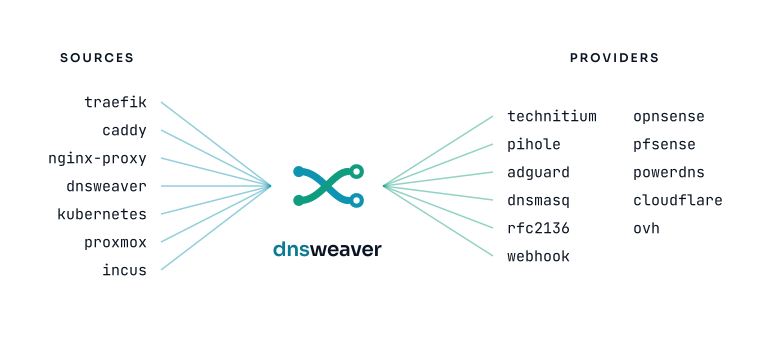
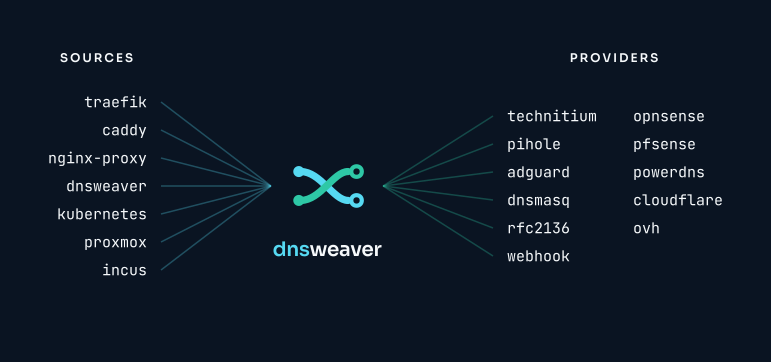
dnsweaver reads hostnames from seven sources and writes records to eleven DNS providers. A container starts with a Traefik label or a Proxmox VM boots, and the record appears; when they go away, so does it. Internal and external records come from the same labels, so split-horizon costs nothing extra.
Key Features
-
Multi-Provider Support
Route different domains to different DNS providers. Eleven providers: Technitium, Cloudflare, OVHcloud, AdGuard Home, RFC 2136, PowerDNS, OPNsense, pfSense, Pi-hole, dnsmasq, and webhook.
-
Split-Horizon DNS
Create internal and external records from the same container labels automatically. One label, multiple zones.
-
Seven Sources
Traefik, Caddy, nginx-proxy, native labels, Kubernetes, Proxmox VE, and Incus. All peers. Enable any combination with
DNSWEAVER_SOURCES. -
Proxmox VE
Auto-creates A records for VMs and LXC containers by polling the PVE API. Filter by node, tag, or VM state.
-
Incus
Auto-creates A records for Incus system containers and VMs over a local socket or remote HTTPS.
-
Observable
Prometheus metrics, health endpoints, and structured logging built-in. Know what's happening.
How It Works
flowchart LR
    subgraph sources["Sources"]
        direction TB
        A["Docker / Swarm<br/>Traefik · Caddy · nginx labels"]
        D["Kubernetes<br/>Ingress · HTTPRoute · Service"]
        P["Proxmox VE · Incus<br/>VMs · LXC"]
    end

    subgraph engine["dnsweaver"]
        direction TB
        W["Watch<br/>events"] --> M["Match hostname<br/>to domain patterns"] --> R["Reconcile<br/>desired vs. live"]
    end

    subgraph providers["DNS providers · split-horizon"]
        direction TB
        INT["Internal<br/>Technitium · Pi-hole · AdGuard"]
        EXT["External<br/>Cloudflare · OVH · RFC 2136"]
    end

    A --> W
    D --> W
    P --> W
    R -->|create / update / delete| INT
R -->|create / update / delete| EXT-
A container starts with a Traefik label:
- dnsweaver extracts hostnames from Traefik router labels and native
dnsweaver.*labels
- dnsweaver extracts hostnames from Traefik router labels and native
-
dnsweaver extracts the hostname and matches it against configured provider domain patterns
-
The matching provider creates the DNS record:
- A record:
myapp.home.example.com → 192.0.2.100 - CNAME:
myapp.example.com → proxy.example.com
- A record:
-
When the container stops, the DNS record is automatically cleaned up
-
An Ingress, IngressRoute, HTTPRoute, or annotated Service is created:
apiVersion: networking.k8s.io/v1 kind: Ingress metadata: name: myapp spec: rules: - host: myapp.home.example.com # (1)!- dnsweaver watches Ingress, IngressRoute (Traefik CRD), HTTPRoute (Gateway API), and Service resources
-
dnsweaver extracts the hostname and matches it against configured provider domain patterns
-
The matching provider creates the DNS record:
- A record:
myapp.home.example.com → 192.0.2.100 - CNAME:
myapp.example.com → proxy.example.com
- A record:
-
When the resource is deleted, the DNS record is automatically cleaned up
-
A VM or LXC container is running with a QEMU guest agent (or LXC network configured):
- dnsweaver polls the PVE API and discovers VMs via QEMU guest agent IPs or LXC container IPs from net0 config
-
dnsweaver extracts the VM or LXC hostname and IP, then matches against configured provider domain patterns
-
The matching provider creates the DNS record:
- A record:
myvm.home.example.com → 192.0.2.10
- A record:
-
When the VM or LXC is stopped or deleted, the DNS record is automatically cleaned up
-
An Incus system container or VM is running with a resolvable IP:
- dnsweaver polls the Incus API (local socket or remote HTTPS) and discovers instances via their network state
-
dnsweaver extracts the instance hostname and IP, then matches against configured provider domain patterns
-
The matching provider creates the DNS record:
- A record:
myinstance.home.example.com → 192.0.2.20
- A record:
-
When the instance is stopped or deleted, the DNS record is automatically cleaned up
Quick Start
services:
  dnsweaver:
    image: maxamill/dnsweaver:latest
    environment:
      - DNSWEAVER_INSTANCES=internal-dns # (1)!
      - DNSWEAVER_INTERNAL_DNS_TYPE=technitium # (2)!
      - DNSWEAVER_INTERNAL_DNS_URL=http://dns.internal:5380
      - DNSWEAVER_INTERNAL_DNS_TOKEN_FILE=/run/secrets/technitium_token
      - DNSWEAVER_INTERNAL_DNS_ZONE=home.example.com
      - DNSWEAVER_INTERNAL_DNS_RECORD_TYPE=A
      - DNSWEAVER_INTERNAL_DNS_TARGET=192.0.2.100 # (3)!
      - DNSWEAVER_INTERNAL_DNS_DOMAINS=*.home.example.com # (4)!
    volumes:
      - /var/run/docker.sock:/var/run/docker.sock:ro
    secrets:
      - technitium_token
- Comma-separated list of provider instance names
- Provider type:
technitium,cloudflare,pihole,adguard,dnsmasq,rfc2136, orwebhook - Target IP for A records (or CNAME target hostname)
- Domain patterns to match—wildcards supported
helm install dnsweaver oci://ghcr.io/maxfield-allison/charts/dnsweaver \
  --namespace dnsweaver --create-namespace \
  --set config.instances="internal-dns" \
  --set config.providers.internal-dns.type=technitium \
  --set config.providers.internal-dns.url=http://dns.internal:5380 \
  --set config.providers.internal-dns.zone=home.example.com \
  --set config.providers.internal-dns.recordType=A \
  --set config.providers.internal-dns.target=192.0.2.100 \
  --set config.providers.internal-dns.domains="*.home.example.com"
Then configure via ConfigMap and Secret. See the Kubernetes deployment guide.
Supported Providers
| Provider | Record Types | Notes |
|---|---|---|
| Technitium | A, AAAA, CNAME, SRV, TXT | Full-featured self-hosted DNS |
| Cloudflare | A, AAAA, CNAME, SRV, TXT | With optional proxy support |
| OVHcloud | A, AAAA, CNAME, SRV, TXT | Public DNS for OVH-hosted domains |
| RFC 2136 | A, AAAA, CNAME, SRV, TXT | BIND, Windows DNS, PowerDNS, Knot |
| PowerDNS | A, AAAA, CNAME, SRV, TXT | Native Authoritative HTTP API |
| Pi-hole | A, CNAME | API or file mode |
| AdGuard Home | A, AAAA, CNAME | DNS rewrite management |
| dnsmasq | A, CNAME | File-based configuration |
| Webhook | A, AAAA, CNAME, TXT | Custom integrations |
Why dnsweaver?
| dnsweaver | external-dns | docker-dns-gen | |
|---|---|---|---|
| Docker support | |||
| Kubernetes support | |||
| Proxmox VE support | |||
| Incus support | |||
| Multiple providers | |||
| Split-horizon DNS | |||
| Self-hosted DNS focus | |||
| No CRDs required | N/A |
Next Steps
-
Getting Started
Install and configure dnsweaver in minutes — Docker or Kubernetes.
-
Configuration
Environment variables, YAML config, and secrets reference.
-
Deployment Guides
Production-ready configs for Docker Compose, Swarm, and Kubernetes.
-
Split-Horizon DNS
Internal + external records from one config.